AI Agent Management Platform: Features Your Team Needs

Why "Building" Is Only Half the Problem
Core Features to Evaluate
Environment Isolation: Dev, UAT, and Prod
Version Control for Agent Workflows
Role-Based Access Control
Audit Trails
A Dual-Mode Builder
Observability and Execution Insights
An Agent Registry
Integration Depth
Enterprise-Grade Security
What Happens Without a Dedicated Platform
How Phinite Addresses the Full Lifecycle
Choosing the Right Platform for Your Team
Frequently Asked Questions
Building AI agents is the easy part. Managing them in production is where most teams hit a wall.
The pattern is familiar: a pilot clears development, then stalls at UAT. Or it ships to production without an audit trail, version history, or any real rollback path. An AI agent management platform exists to close that gap — giving teams a structured way to build, test, promote, observe, and govern agents across their full lifecycle, not just at the prototype stage.
This article covers the features that actually matter when you're evaluating platforms for production use, and why the combination of those features matters more than any single capability on its own.
Why "Building" Is Only Half the Problem
Most tools in the AI agent space are builders. They help you design workflows, connect APIs, and run test prompts. That part of the problem is largely solved.
The harder half is everything after the first successful demo: promoting an agent from development to staging without breaking credentials, getting QA sign-off without emailing a ZIP file, deploying to production with a clear rollback path, and answering an auditor who wants to know which version of an agent ran on which date.
Fewer than 10% of enterprises have scaled agentic AI to deliver tangible value as of 2026. The bottleneck is rarely the model. It's the infrastructure around it — versioning, governance, environment isolation, observability. An AI agent management platform addresses all of that, not just the front end.
Core Features to Evaluate
Environment Isolation: Dev, UAT, and Prod
This is the feature most teams realize they needed only after a production incident. When your development environment shares infrastructure with production, a bad prompt update or misconfigured tool call can affect live users.
A well-designed platform runs each environment on separate infrastructure. Phinite runs Dev, UAT, and Prod on isolated Kubernetes pods, which means a workflow change in Dev cannot touch a running production agent. Promotion between environments is a deliberate, controlled step — not a file copy.
When evaluating any platform, ask specifically how environment promotion works. If the answer involves exporting JSON and manually updating credentials on each server, that's a manual process, not a managed pipeline.
Version Control for Agent Workflows
Agent workflows change constantly. Prompts get tuned, tools get swapped, routing logic shifts. Without version control, you can't answer basic questions: what changed, who changed it, and what was running when a specific session produced a bad output.
Version control for agents should work the way it works for code. Each workflow version should be addressable, comparable, and promotable. You should be able to roll back to a prior version without rebuilding from memory.
This is different from saving a draft. A draft is a snapshot. Version control is a history — with attribution, promotion gates, and the ability to run a specific version in a specific environment.
Role-Based Access Control
Not everyone on a team should be able to deploy to production. A developer building a new workflow shouldn't have the same permissions as the person approving it for release.
Role-based access control in an agent management context means defining who can build, who can test, who can approve, and who can deploy. Phinite structures this across five roles: Owner, Admin, Developer, QA, and Architect. Each role has scoped access, so a QA engineer can validate a workflow in UAT without being able to push it to Prod.
For regulated industries — financial services, healthcare, insurance — RBAC isn't optional. It's a compliance requirement. Audit trails and governed approvals are built into the regulatory expectations for those sectors.
Audit Trails
An audit trail is a timestamped, tamper-evident record of what happened: which agent ran, which version, which user triggered it, and what the output was. It matters for compliance, for debugging, and for any post-incident review.
The key question is whether audit trails are native to the platform or bolted on through a third-party logging integration. Native audit trails are maintained per workspace and cover the full lifecycle — design changes, version promotions, deployment events, and execution logs. Bolt-on logging captures what the logging tool sees, which is usually less than the full picture.
A Dual-Mode Builder
Engineering teams aren't monolithic. Some members prefer visual, drag-and-drop workflow design. Others want to write code, use custom hooks, and work with version-controlled files. A platform that forces one mode on everyone creates friction.
Phinite handles this with two builders in the same workspace. Flow Studio is a visual, no-code drag-and-drop editor. Developer Studio is a code-first environment with 90+ prebuilt tools, custom backend hooks, inline AI copilot code generation, and full version control. Both feed into the same lifecycle pipeline, so a workflow started in Flow Studio can be handed off to a developer in Developer Studio without switching platforms.
This matters because agent projects rarely stay in one mode. A business analyst might sketch the initial workflow visually. An engineer adds custom logic. A QA engineer tests it. A platform that supports all three without requiring a tool switch reduces handoff friction significantly.
Observability and Execution Insights
Once an agent is in production, you need to know what it's doing. That means more than uptime monitoring — it means session-level logs, execution traces, performance metrics, and the ability to stream logs to external systems your team already uses.
Useful observability for agents includes:
An execution insights dashboard showing session counts, error rates, and latency
Session-level logs with input/output capture
Log retention with configurable windows
External log streaming so data flows into your existing observability stack
Without this, debugging a production issue means reconstructing what happened from incomplete signals. With it, you can trace a specific session, identify the exact step that failed, and determine whether the issue was a prompt, a tool call, or an environment configuration.
An Agent Registry
As teams build more agents, they start duplicating work. One team builds a document-parsing agent. Another team builds a nearly identical one three months later without knowing the first one exists.
An Agent Registry solves this by making agents discoverable across the organization. Agents can be published with public, org-level, or private sharing settings, so teams can find and reuse existing capabilities instead of rebuilding them. It also creates a single source of truth for which agents are in production and who owns them.
For larger organizations, the registry becomes the foundation for agent governance at scale. You can't govern what you can't find.
Integration Depth
A platform that can't connect to the tools your organization already uses creates its own integration burden. The integrations that matter most depend on your stack, but look for coverage across:
Source control: GitHub, Bitbucket
Cloud infrastructure: AWS, Azure, Google Cloud
Communication and collaboration: Slack, WhatsApp, Google Meet
Storage and data: Amazon S3, Dropbox
Business applications: QuickBooks and similar
Phinite covers all of these natively. For teams building on a specific cloud, cloud-agnostic architecture matters — you shouldn't be locked into a single provider's ecosystem because of your agent platform.
Webhook execution, Flow-as-API, scheduled jobs, and external API triggers are also available in Phinite (currently in Beta), giving teams flexibility in how agents are triggered and how they expose their outputs.
Enterprise-Grade Security
For enterprise deployments, security features move from optional to required. The specific capabilities to look for:
BYOK (Bring Your Own Key): Your encryption keys stay under your control, not the vendor's
SSO/SAML: Authentication flows through your identity provider, not a separate credential set
External secrets integration: Credentials and API keys are managed in your secrets manager, not stored in the platform
SOC 2 Type 2 readiness: The platform's security controls have been independently assessed
These are table-stakes requirements for any enterprise procurement process. If a platform doesn't offer them, the deal will stall in security review regardless of how good the agent builder is.
What Happens Without a Dedicated Platform
The alternative to a purpose-built AI agent management platform is assembling your own stack. Most teams end up with roughly five separate tools: an orchestration framework, a deployment layer, a version control setup adapted from software CI/CD, a monitoring tool, and some combination of spreadsheets and Jira tickets for governance.
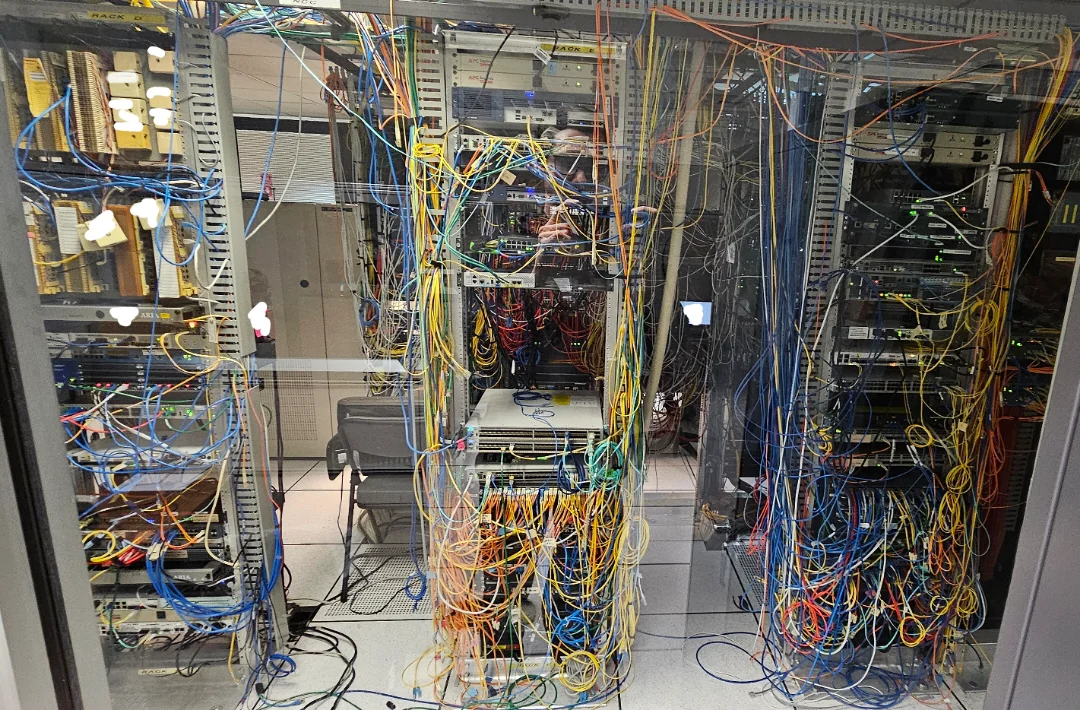
None of these were designed to work together for agent workflows. Promotion from Dev to UAT requires manual credential updates. Audit trails are incomplete because the logging tool only sees part of the pipeline. RBAC is inconsistent because each tool has its own access model. When something goes wrong in production, the debugging process spans five dashboards.
The cost isn't just engineering time, though that's significant. It's the organizational risk of running agents in production without a clear record of what they're doing and who approved them.
How Phinite Addresses the Full Lifecycle
Phinite is built specifically for this problem. It covers the full agent lifecycle — from design through governance — in a single workspace, with isolated environments, native version control, built-in RBAC, audit trails, and production observability all working together rather than as separate integrations.
Engineering teams at companies like Bluestream Fiber and Baker Tilly, a top-15 US advisory firm, are already running production workflows on the platform. The architecture is Kubernetes-native and cloud-agnostic, supporting AWS, Azure, and Google Cloud without requiring commitment to any single provider.
For teams evaluating options, Phinite offers a free tier to start building, with paid plans for teams that need more sessions, users, and enterprise security features. You can explore the platform at phinite.ai.
Choosing the Right Platform for Your Team
When comparing AI agent management platforms, the features above give you a useful evaluation framework. But the more important question is whether the platform covers the full lifecycle or just part of it.
A builder without lifecycle management leaves you with a prototype problem: you can build agents, but you can't reliably promote, govern, or observe them in production. A governance layer without a builder means you're managing agents built elsewhere, which adds integration complexity. The combination — builder plus lifecycle management in one system — is what makes a platform genuinely useful for teams trying to scale beyond the first pilot.
Ask vendors specifically how environment promotion works, what the audit trail covers, and whether RBAC is native or configured through a third-party tool. The answers will tell you quickly whether you're looking at a builder or a platform.
Frequently Asked Questions
What is an AI agent management platform?
An AI agent management platform covers the full lifecycle of AI agents in production: building, versioning, testing, deploying, monitoring, and governing them. It goes beyond a workflow builder by providing structured environment promotion, audit trails, role-based access control, and observability in a single workspace.
Why do I need isolated Dev, UAT, and Prod environments for AI agents?
Isolated environments prevent changes in development from affecting live production agents. They also create a structured promotion path where each stage — development, user acceptance testing, and production — has its own infrastructure, credentials, and access controls. Without isolation, a prompt update or tool configuration change can reach production before it's been properly reviewed.
What should audit trails cover in an agent management platform?
Audit trails should capture design changes, version promotions, deployment events, and session-level execution logs with timestamps and user attribution. For regulated industries, they need to be tamper-evident and retained for a defined period. Native audit trails are more complete than bolt-on logging because they capture events at the platform level, not just at the execution layer.
How does role-based access control work for AI agents?
RBAC assigns different permissions to different team members based on their role in the lifecycle. A developer might be able to build and test workflows but not deploy to production. A QA engineer might be able to approve a workflow for promotion but not modify it. An admin controls environment-level settings. This prevents unauthorized changes from reaching production and creates a clear approval chain for compliance purposes.
What integrations should an AI agent management platform support?
At minimum, look for integrations with your source control system (GitHub or Bitbucket), your cloud provider (AWS, Azure, or Google Cloud), your communication tools (Slack, for example), and your storage and data services. Enterprise platforms should also support SSO/SAML for authentication and external secrets managers for credential handling.
How is an AI agent management platform different from a workflow automation tool like n8n?
Workflow automation tools are designed for operations and RevOps use cases, connecting existing systems through triggers and actions. AI agent management platforms are designed for engineering teams building AI-first multi-agent systems that require version control, environment isolation, and governed deployment. The distinction matters when you need to promote an agent from development to production with an audit trail and rollback capability — something automation tools aren't built to provide.
When does a team need an AI agent management platform versus a simpler builder?
A simpler builder is fine for prototyping and internal experiments. Once an agent is running in production, serving real users, or operating in a regulated environment, you need lifecycle management. The trigger is usually a pilot that stalls at UAT, an audit request the team can't answer, or a second agent project that would require rebuilding all the same infrastructure from scratch.
Other Blogs

AI Agent Cost Attribution: How to Track and Control Multi-Agent Spend
22 July 2026 · 4 min read
AI Agent Sprawl Is Already Here — And Most Enterprises Have No Plan for It
March 2026 · 8 min read

Best Platforms for Building Multi-Agent AI Systems in 2026: A Lifecycle-First Comparison
August 2026 · 8 min read