Phinite vs CrewAI: Platform vs Framework for Multi-Agent AI
Ashish Deekonda · March 2026 · 8 min read
Infrastructure
Enterprise AI
Agentic Systems
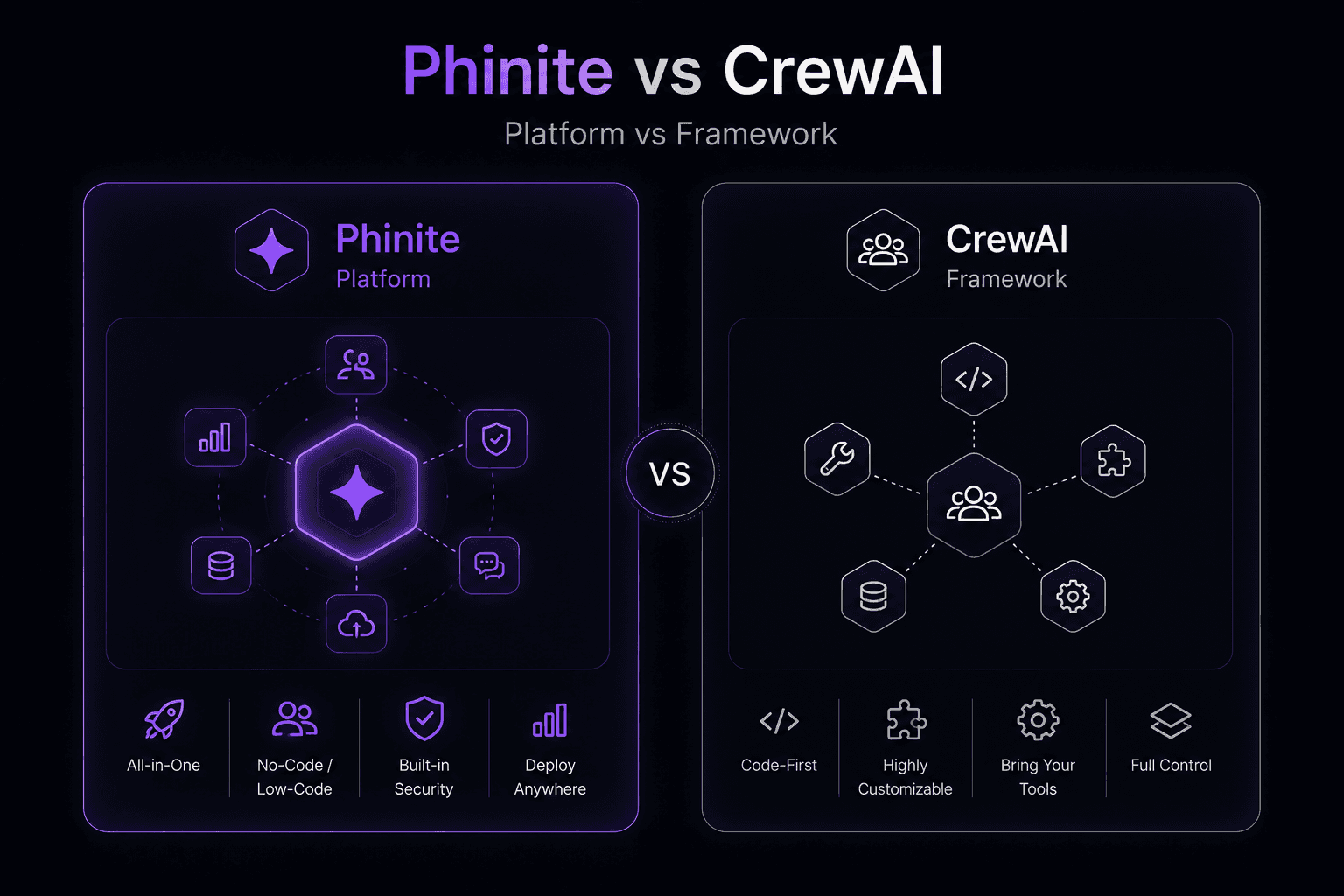
Phinite comes at the problem from a different angle. Rather than providing a framework that helps you build agent systems, it provides the platform that runs them: design tools, deployment, observability, security, and multi-channel delivery.
Both can build multi-agent systems. The question is what happens after you build them.
How They Work
CrewAI
CrewAI is a Python framework (with an optional visual editor) where you define agents as "crew members" with roles, goals, backstory descriptions, and assigned tools.
You organize them into crews with sequential or hierarchical task execution.
CrewAI recently added an Enterprise tier with:
A visual editor
GitHub integration
Managed infrastructure options
Phinite
Phinite is a managed platform with two visual builders:
Flow Studio for workflow-based agent design
Graph Studio for graph-based architectures
It handles the full lifecycle from design through deployment, monitoring, and multi-channel delivery.
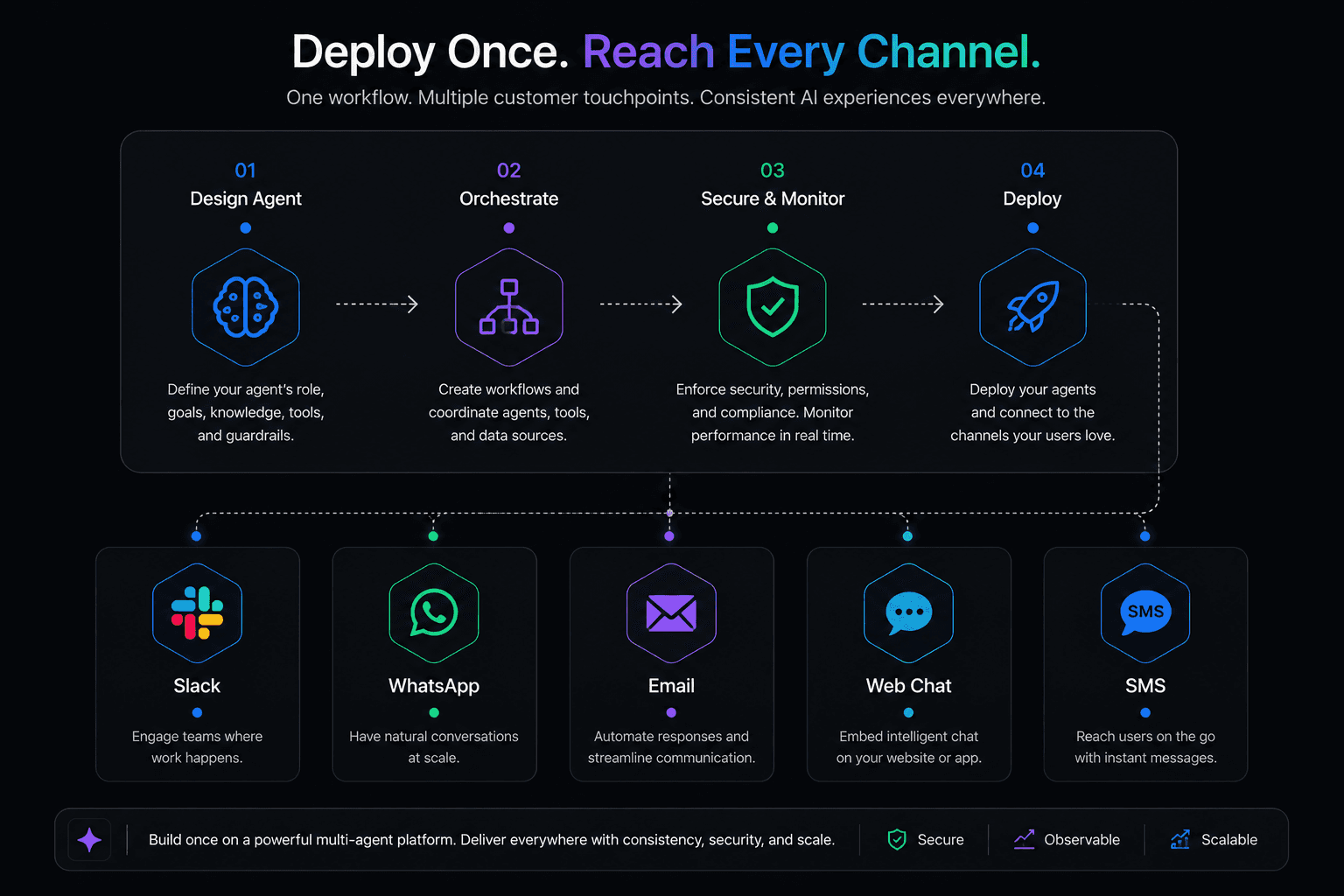
Agents are deployed across:
Slack
WhatsApp
Email
Web
SMS
Custom channels
From the same platform.
Feature Comparison
Feature | CrewAI | Phinite |
|---|---|---|
Type | Framework + optional cloud platform | Managed platform |
Agent design | Code (Python) + visual editor on paid plans | Visual (Flow Studio, Graph Studio) + code |
Orchestration | Sequential, hierarchical task execution | Graph-based, workflow-based, routing |
Deployment | Self-hosted or CrewAI cloud (Enterprise) | Platform-managed, cloud-agnostic |
Multi-channel | Build your own | Native (Slack, WhatsApp, Email, Web, SMS) |
Observability | Basic logging; advanced on Enterprise | Built-in dashboard with tracing |
Security/RBAC | Enterprise tier only | Built-in on all paid plans |
AI copilot | AI copilot in visual editor | Phinite Aura |
Open-source | Yes (core framework) | No |
Cloud flexibility | CrewAI cloud or self-host | AWS, Azure, Google Cloud, private |
Pricing Breakdown
This is where the two tools diverge significantly.
CrewAI pricing (as of 2025/2026 per ZenML analysis)
Free: open-source framework, 50 workflow executions per month on cloud
Paid tiers: starting at $99/month, scaling up to $120,000/year for the Ultra tier
Charges per workflow execution
Enterprise: custom pricing with on-site support and 50 hours of development per month
Phinite pricing
Free: 1,000 agent sessions per month, 5 users, 1 workspace, all builder capabilities
Professional: $249/month for 10,000 sessions, 20 users, 10 workspaces
Enterprise: custom pricing with unlimited sessions, private cloud, and dedicated support
The key difference in the pricing model:
CrewAI charges per workflow execution.
Phinite charges per agent session.
A session can involve multiple agent interactions, which means the effective cost per interaction can be lower on Phinite for complex workflows where a single user session triggers multiple agent actions.
Also worth noting:
Phinite's free tier includes all builder capabilities.
CrewAI's free tier is limited to 50 executions per month on the cloud platform.
Where CrewAI Wins
Simplicity of the mental model
The "crew" metaphor is intuitive.
Define agents with roles and goals, assign them tasks, and let the crew execute.
For developers building their first multi-agent system, this lowers the learning curve.
Open-source core
The framework itself is open-source, which means you can inspect the code, contribute, and avoid lock-in on the core agent logic.
This is a meaningful advantage for teams that prioritize transparency.
Quick prototyping
For getting a proof-of-concept running in an afternoon, CrewAI's abstractions are effective.
You can define a crew, give agents tools, and see results quickly without worrying about infrastructure.
Growing enterprise features
CrewAI has been adding enterprise capabilities, including:
A visual editor
GitHub integration
Managed hosting
The Enterprise tier includes on-site support and development hours, which can be valuable for large organizations.
Where Phinite Wins
Production infrastructure included
This is the recurring theme in platform-vs-framework comparisons.
CrewAI gives you the agent layer.
Phinite gives you the agent layer plus:
Deployment pipelines
Monitoring dashboards
Logging
Alerting
RBAC
Audit trails
Multi-channel delivery
The infrastructure gap between a CrewAI prototype and a production deployment is significant.
Multi-channel is native
If your agents need to operate on:
Slack
WhatsApp
Your website
Simultaneously, Phinite handles this out of the box.
With CrewAI, each channel requires custom integration work.
For teams building customer-facing AI, this saves weeks of engineering time.
Cloud-agnostic deployment
Phinite runs on:
AWS
Azure
Google Cloud
Private infrastructure
CrewAI's managed option runs on CrewAI's own cloud or your private infrastructure (Enterprise only).
If you need to deploy on a specific cloud for compliance or data residency reasons, Phinite gives you that flexibility at every tier.
Visual tools at every tier
Phinite's:
Flow Studio
Graph Studio
Are available across plans.
CrewAI's visual editor is primarily a cloud/paid feature.
Session-based pricing aligns with usage
For complex workflows where a single user interaction triggers a chain of agent actions, Phinite's per-session pricing can be more cost-effective than per-execution pricing where each step in the chain counts as a separate billable event.
Where CrewAI Falls Short
Independent reviews have noted some friction points.
Abstraction gaps
LangWatch's 2025 framework comparison described CrewAI as having a "buggy, brittle" experience with "unclear abstractions."
The framework's ambitious "Rails-like vision" for AI agents sometimes clashes with the reality of how agents behave in practice.
Production tooling is thin
Outside the Enterprise tier, CrewAI's production tooling is limited.
You're responsible for:
Deployment
Monitoring
Security
On the free and lower-paid tiers.
Execution pricing can add up
For high-volume use cases, per-execution pricing at scale can become expensive.
The jump from the entry paid tier to the Ultra tier ($120,000/year) is steep.
Where Phinite Falls Short
Smaller community
CrewAI has a larger developer community, more tutorials, and more third-party content.
If you get stuck, you're more likely to find a CrewAI answer on Stack Overflow or in a blog post.
Less flexible agent abstraction
CrewAI's role/goal/backstory pattern gives you an interesting way to shape agent behavior through personality and motivation descriptions.
Phinite's approach is more structured and platform-driven, which is an advantage for production but can feel less experimental.
No open-source option
If open-source access to the core platform code is a requirement, CrewAI satisfies that and Phinite doesn't.
When to Choose CrewAI
Pick CrewAI if:
You want an open-source foundation for your agent logic
You're prototyping and want to move fast with minimal setup
Your team is comfortable building and maintaining production infrastructure
The "crew" abstraction fits how you think about your agent system
You're building internal tools where multi-channel deployment isn't a priority
When to Choose Phinite
Pick Phinite if:
Production readiness is the priority, not prototyping speed
Your agents need to operate across Slack, WhatsApp, Email, and Web
Enterprise security (RBAC, audit trails, compliance) is a requirement from day one
You need cloud-agnostic deployment across AWS, Azure, or Google Cloud
You want visual builders that let non-developers participate in agent design
Predictable, session-based pricing matters for your budgeting
The Bottom Line
CrewAI is a solid framework for teams that want to build multi-agent systems with code and are willing to invest in the surrounding infrastructure.
Phinite is a production platform for teams that want the full stack handled so they can focus on the agent logic and business outcomes.
The choice usually comes down to one question:
Does your team want to build infrastructure, or ship agents?
Frequently Asked Questions
Is CrewAI free to use?
The core CrewAI framework is open-source and free.
The cloud platform offers a free tier with 50 workflow executions per month.
Paid plans start at $99 per month.
How does Phinite's pricing compare to CrewAI?
Phinite offers a free tier with 1,000 sessions per month.
Professional is $249/month for 10,000 sessions.
Phinite charges per session (which can include multiple agent interactions), while CrewAI charges per workflow execution.
For complex multi-step workflows, Phinite's model can be more cost-effective.
Can CrewAI deploy agents to Slack and WhatsApp?
Not natively.
You would need to build custom integrations for each channel.
Phinite includes native multi-channel deployment to:
Slack
WhatsApp
Email
Web
SMS
Custom channels
Which is better for a team with limited engineering resources?
Phinite, because it includes deployment, monitoring, and security out of the box.
CrewAI requires your team to build and maintain that infrastructure, which takes meaningful engineering time.
Can I start with CrewAI and move to Phinite later?
Yes.
The agent logic concepts translate between the two tools, though the implementation details will need to be rebuilt.
Teams often prototype in a framework and then move to a platform for production.
Other Blogs
How to Deploy AI Agents Across Slack, WhatsApp, and Email
CrewAI made a name for itself by making multi-agent AI feel approachable. The idea of defining "crews" of agents with roles, goals, and backstories resonated with developers who wanted something higher-level than raw LangChain but more structured than building from scratch.
Best Multi-Agent AI Platforms in 2026: An Honest Comparison
CrewAI made a name for itself by making multi-agent AI feel approachable. The idea of defining "crews" of agents with roles, goals, and backstories resonated with developers who wanted something higher-level than raw LangChain but more structured than building from scratch.
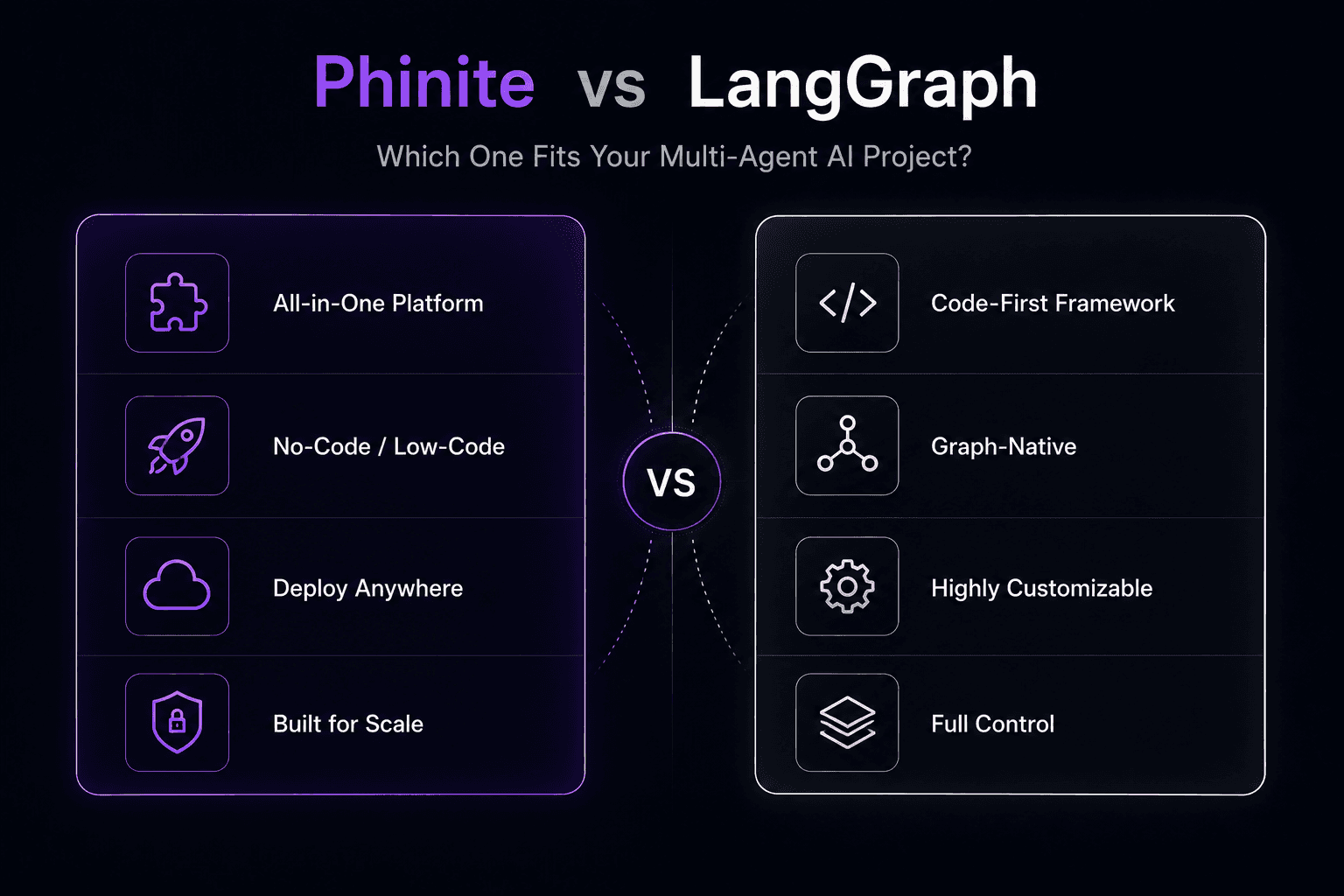
Phinite vs LangGraph: Which One Fits Your Multi-Agent AI Project?
LangGraph has become one of the most widely used tools for building multi-agent AI systems. It's open-source, well-documented, and backed by the LangChain ecosystem. If you've prototyped an agent workflow, there's a decent chance you used LangGraph to do it.