Phinite vs LangGraph: Which One Fits Your Multi-Agent AI Project?
Shashank Somal · March 2026 · 8 min read
Infrastructure
Enterprise AI
Agentic Systems
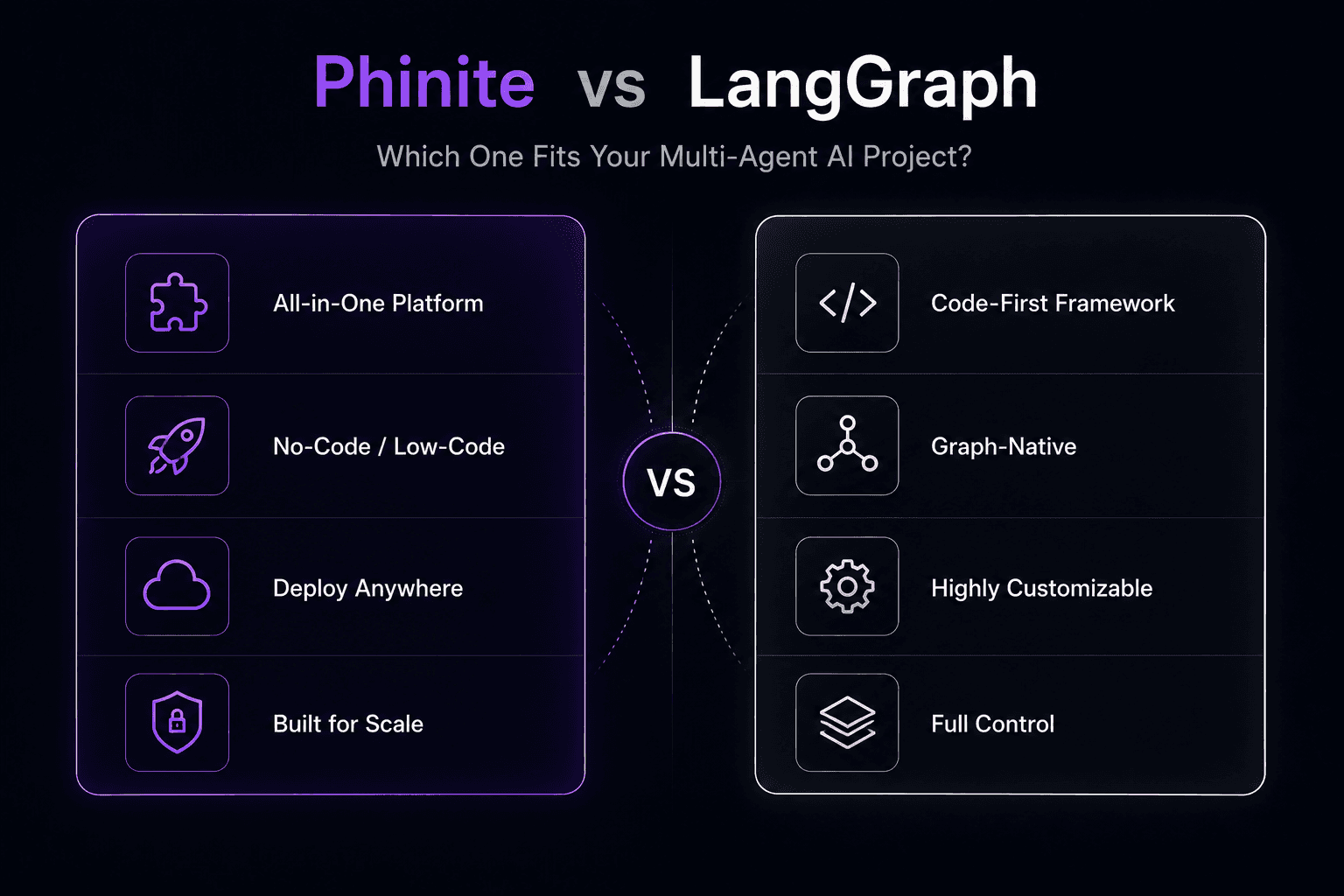
Phinite takes a different approach. Instead of giving you a framework and letting you figure out the rest, it provides the full production stack: visual builders, deployment, observability, security, and multi-channel delivery.
Both tools are legitimate. But they solve different problems for different teams. This comparison will help you figure out which one actually fits your situation.
Quick Overview
LangGraph is a graph-based framework for building stateful agent workflows. It's part of the LangChain ecosystem, open-source (MIT licensed), and designed for developers who want low-level control over agent orchestration. It runs on Python (and TypeScript), and you deploy it using your own infrastructure or LangSmith for observability.
Phinite is a cloud-agnostic platform for multi-agent AI. It includes visual builders (Flow Studio for workflows, Graph Studio for graph-based design), built-in deployment pipelines, real-time observability, enterprise security (RBAC, audit trails), and multi-channel delivery. It's a managed product, not a framework.
The fundamental difference: LangGraph gives you the engine. Phinite gives you the car.
Feature-by-Feature Comparison
Feature | LangGraph | Phinite |
|---|---|---|
Type | Open-source framework | Managed platform |
Agent design | Code-only (Python/TypeScript) | Visual (Flow Studio, Graph Studio) + code |
Graph-based orchestration | Yes, core feature | Yes, via Graph Studio |
State management | Built-in persistence layer | Built-in, managed |
Deployment | Self-managed (Docker, K8s, cloud) | Platform-managed, cloud-agnostic |
Observability | Via LangSmith (separate product, paid) | Built-in dashboard |
Multi-channel | Build your own integrations | Native (Slack, WhatsApp, Email, Web, SMS) |
Security/RBAC | Implement yourself | Built-in RBAC, audit trails, secrets management |
AI copilot | None | Phinite Aura (built-in) |
Pricing | Free (open-source); LangSmith from ~$39/mo | Free tier; Professional $249/mo; Enterprise custom |
Cloud support | Wherever you deploy it | AWS, Azure, Google Cloud, private cloud |
Learning curve | Steep (code-first, fragmented docs) | Moderate (visual tools lower the barrier) |
Where LangGraph Wins
Full control over the graph
If your team needs to define exact state transitions, custom reducers, and fine-grained control over how data flows between nodes, LangGraph delivers.
It's the most flexible graph-based agent framework available today.
Open-source transparency
You can read every line of code, modify it, and self-host without vendor dependency.
For teams with strong opinions about infrastructure ownership, this matters.
LangChain ecosystem
If you already use LangChain for model integrations and tool calling, LangGraph fits naturally into your stack.
The compatibility layer with OpenAI tool-calling format is a plus.
Cost at small scale
For a solo developer or a small team building a prototype, LangGraph is free.
You only start paying when you add LangSmith for observability.
Community and content
LangGraph has extensive documentation, tutorials, and a large community.
You can find answers to most problems through their docs or GitHub issues.
Where Phinite Wins
Production readiness out of the box
The biggest gap between a LangGraph prototype and a production system is everything that surrounds the agent logic: deployment, monitoring, logging, error handling, security, and scaling.
Phinite ships with all of that.
You don't need to build a deployment pipeline or wire up an observability stack.
Visual building tools
Not every person who needs to design an agent workflow is a Python developer.
Flow Studio and Graph Studio let product managers, ops leads, and less technical team members participate in the design process without writing code.
Multi-channel deployment
Getting a LangGraph agent onto Slack requires building a Slack bot, handling message formats, managing sessions, and dealing with rate limits.
Getting it on WhatsApp adds another integration layer.
Phinite handles all of this natively across Slack, WhatsApp, Email, Web, SMS, and custom channels.
Enterprise security
RBAC, audit trails, external secrets management, and compliance controls come built into Phinite.
With LangGraph, you build and maintain all of this yourself (or skip it and accept the risk).
Time to production
Teams using frameworks like LangGraph often spend weeks or months building the surrounding infrastructure before they can put agents into production.
DataRobot's research found that organizations scaling agentic AI face compounding operational costs because they underestimate the infrastructure work.
Phinite cuts that timeline significantly.
Where LangGraph Falls Short
This is worth being direct about, because it affects your decision:
Documentation quality
Multiple independent reviews (including a detailed comparison by LangWatch in May 2025) note that LangGraph's documentation is "fragmented with multiple conflicting patterns" and that developer ergonomics suffer from "unclear errors" and complexity inherited from the broader LangChain layers.
Production gap
LangGraph gives you the orchestration engine.
Everything else is your responsibility:
Deployment pipelines
Monitoring
Alerting
Security
Channel integrations
Session management
For a well-staffed engineering team, that's manageable.
For smaller teams, it's a major time sink.
Observability requires LangSmith
Meaningful tracing and monitoring requires LangSmith, a separate paid product.
That's a reasonable business model, but it means the "free" open-source tool has a soft paywall around production-critical features.
Where Phinite Falls Short
Fairness matters, so here's the other side:
Vendor dependency
You're building on a managed platform.
If Phinite changes pricing, deprecates features, or goes in a direction you don't like, migrating your agent logic to another tool takes work.
Less community content
LangGraph has far more tutorials, blog posts, and community resources.
Phinite is newer and doesn't yet have the same volume of third-party content.
Less low-level control
If you need to implement a highly custom state management pattern or deeply non-standard orchestration logic, a framework gives you more room to experiment than a platform with opinions built in.
When to Choose LangGraph
Pick LangGraph if:
Your team has strong Python/infrastructure engineering talent and prefers code-first workflows
You need maximum flexibility to experiment with unconventional agent architectures
You're already deep in the LangChain ecosystem
You're building a prototype or internal tool where production-grade security and multi-channel support aren't immediate requirements
Budget is extremely tight and you can absorb the infrastructure engineering cost in-house
When to Choose Phinite
Pick Phinite if:
You need to get agents into production quickly without building deployment, monitoring, and security from scratch
Your team includes non-developers who need to participate in agent design
You need agents deployed across multiple channels (Slack, WhatsApp, Email, Web)
Enterprise security requirements (RBAC, audit trails, compliance) are non-negotiable
You want cloud-agnostic deployment with the flexibility to run on AWS, Azure, Google Cloud, or private infrastructure
You'd rather pay for a managed platform than spend engineering time building infrastructure
Can You Use Both?
Yes.
Some teams use LangGraph for the core agent logic and a platform like Phinite for the production wrapper: deployment, observability, security, and channel delivery.
This is a reasonable approach if you have complex orchestration needs that benefit from LangGraph's flexibility but don't want to build the entire production stack from scratch.
The Bottom Line
LangGraph is a powerful framework for teams that want to build from the ground up.
Phinite is a production-ready platform for teams that want to ship.
The right choice depends on your team's engineering resources, your timeline, and how much infrastructure you're willing to build and maintain yourself.
Neither tool is categorically better. They solve adjacent but different problems.
If you're evaluating both, try building the same workflow in each.
That exercise will tell you more than any comparison article can.
Frequently Asked Questions
Is LangGraph free?
LangGraph is open-source and free to use.
However, production features like observability and tracing require LangSmith, which starts at approximately $39 per month.
Can Phinite do graph-based agent orchestration like LangGraph?
Yes.
Phinite's Graph Studio provides graph-based agent design capabilities.
The approach is different (visual vs. code-first), but the underlying architecture supports graph-based orchestration patterns.
Which tool is better for enterprise deployments?
Phinite is better suited for enterprise deployments because it includes RBAC, audit trails, compliance controls, and managed infrastructure out of the box.
LangGraph requires you to build all of these features yourself.
Can I migrate from LangGraph to Phinite?
The agent logic will need to be rebuilt in Phinite's environment, but the concepts translate directly.
Graph-based architectures in LangGraph map naturally to Phinite's Graph Studio.
Which has better observability?
Phinite includes built-in observability with its platform.
LangGraph relies on LangSmith (a separate paid product) for comparable tracing and monitoring capabilities.
Other Blogs
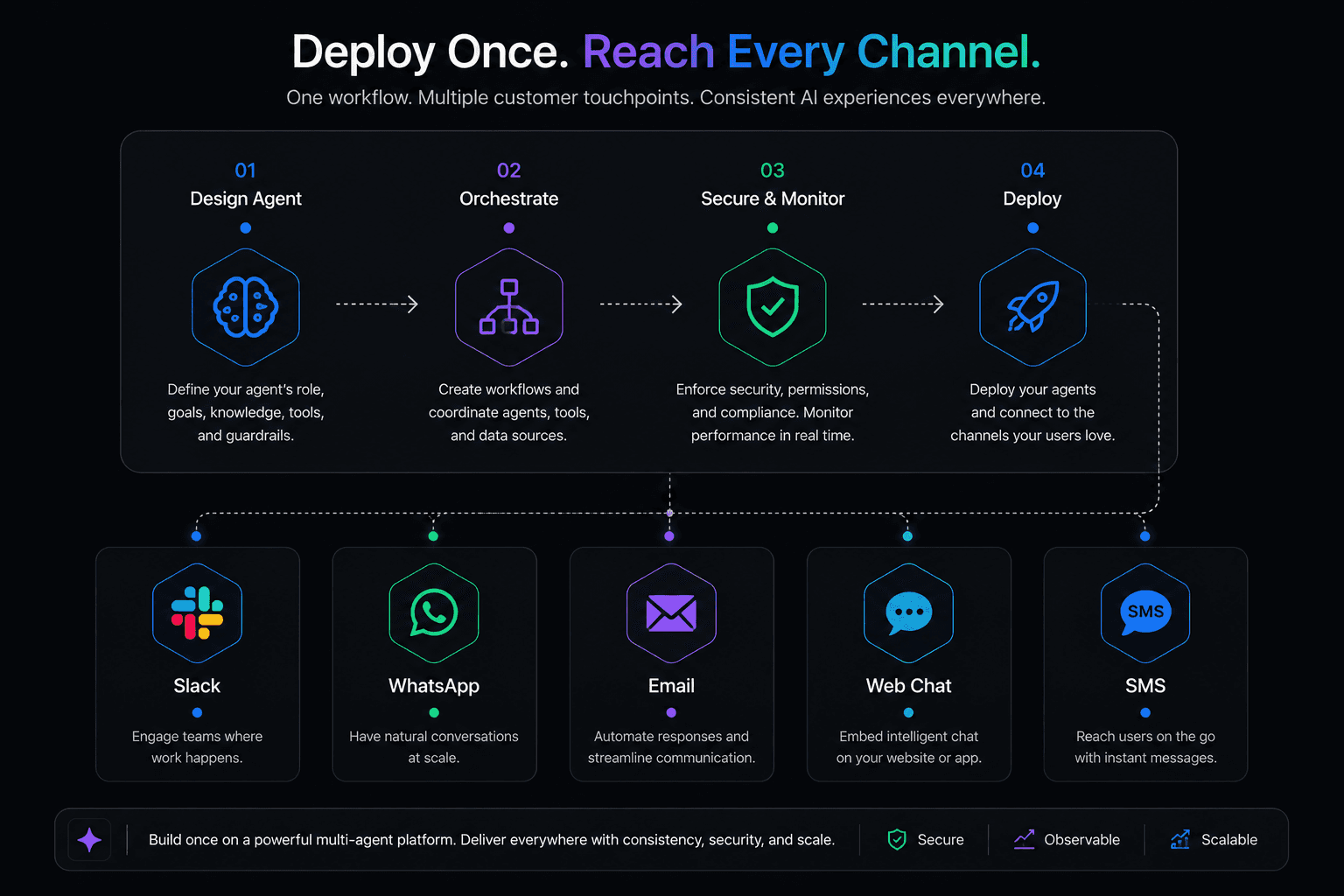
How to Deploy AI Agents Across Slack, WhatsApp, and Email
CrewAI made a name for itself by making multi-agent AI feel approachable. The idea of defining "crews" of agents with roles, goals, and backstories resonated with developers who wanted something higher-level than raw LangChain but more structured than building from scratch.
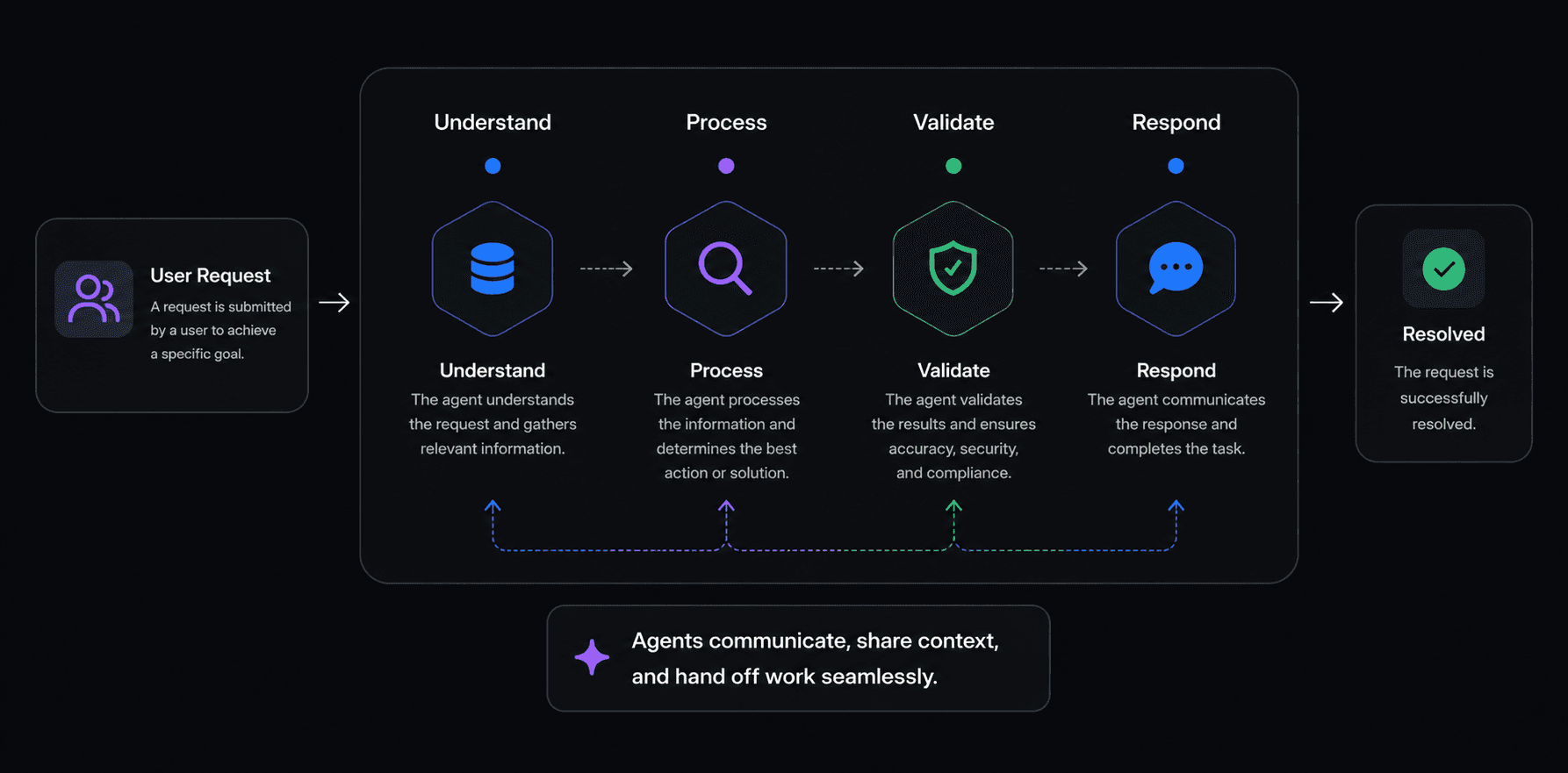
Best Multi-Agent AI Platforms in 2026: An Honest Comparison
CrewAI made a name for itself by making multi-agent AI feel approachable. The idea of defining "crews" of agents with roles, goals, and backstories resonated with developers who wanted something higher-level than raw LangChain but more structured than building from scratch.
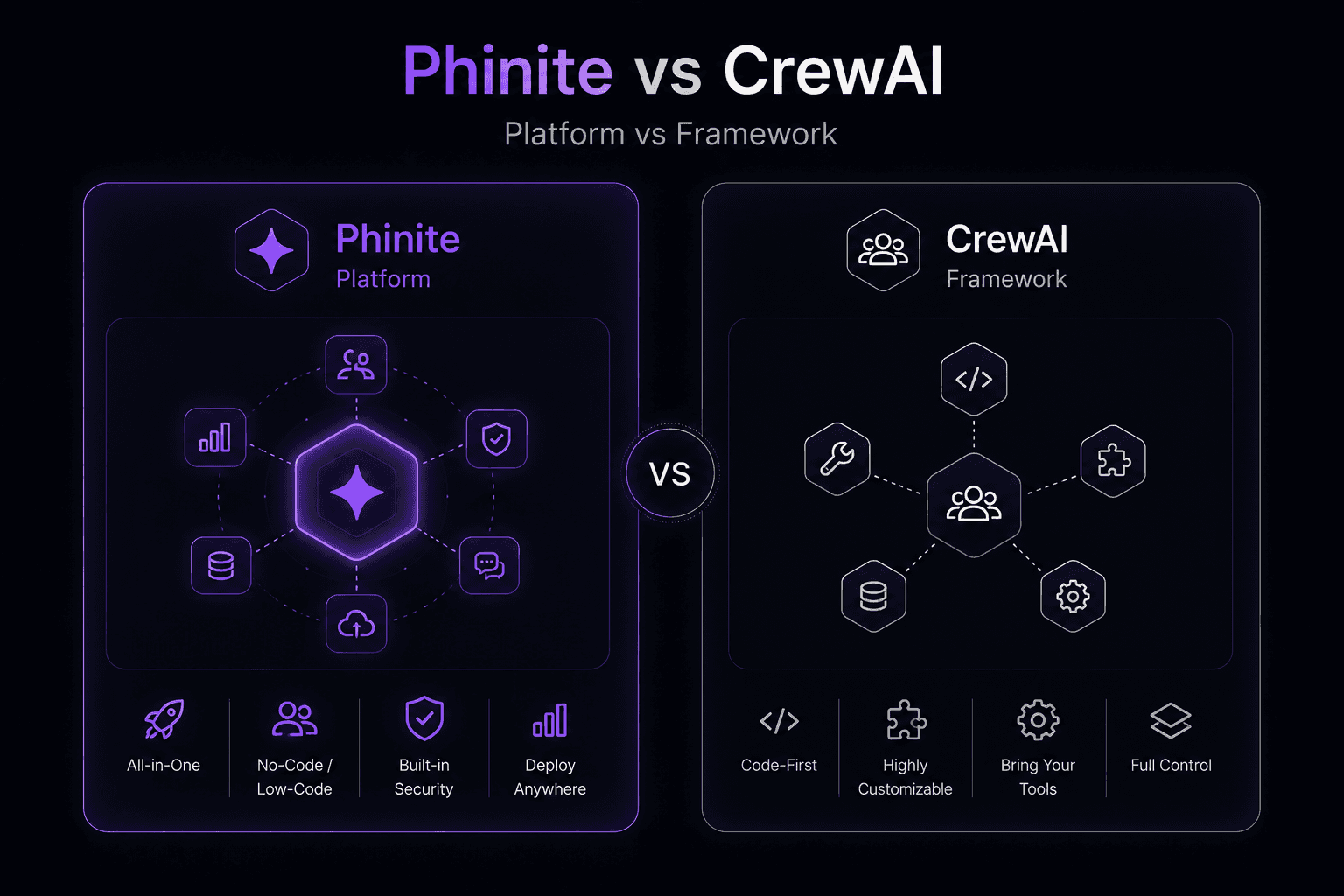
Phinite vs CrewAI: Platform vs Framework for Multi-Agent AI
CrewAI made a name for itself by making multi-agent AI feel approachable. The idea of defining "crews" of agents with roles, goals, and backstories resonated with developers who wanted something higher-level than raw LangChain but more structured than building from scratch.